使得wsl和windows互联
关闭windows上的防火墙
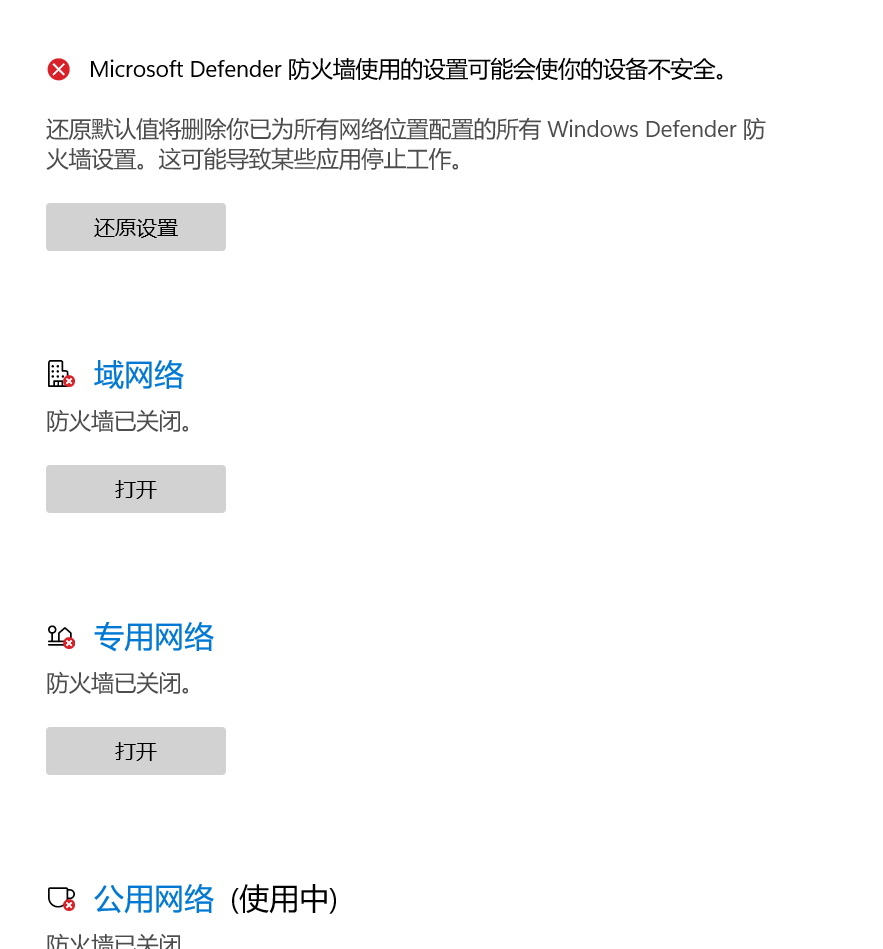
从windows访问wsl
wsl:ip addr|grep eth0
结果:
1 | 6: eth0: <BROADCAST,MULTICAST,UP,LOWER_UP> mtu 1500 qdisc mq state UP group default qlen 1000 |
inet后面的192.168.63.177即为wsl的ip地址
在test目录下新建index.html文件内容如下
1 | <html> |
在test目录下python3 -m http.server 8080提供http服务,在windows上访问http://192.168.63.177:8080访问index.html
从wsl访问windows
以管理员身份运行powershell,并运行命令New-NetFirewallRule -DisplayName "WSL" -Direction Inbound -InterfaceAlias "vEthernet (WSL)" -Action Allow
在wsl中输入命令cat /etc/resolv.conf | grep nameserver | awk '{ print $2 }'得到结果192.168.48.1即为windows ip。
参考文献:同一局域网下windows主机和wsl子系统相互网络服务访问
windows的ipconfig命令结果
1 | 无线局域网适配器 WLAN: |
可以看见,ipconfig说windows的ip是192.168.0.105,而wsl的ip是192.168.48.1,但这个ip地址是wsl联系windows时的地址,可以推测出192.168.48.1是从windows到wsl的网桥(路由器)。
创建于2023.1.17/17.35,修改于2023.1.17/17.57